O ClipCut Studio 1.0.0 chega como a primeira release estável do editor nativo da 4U-Labs. A nova versão reúne ferramentas para montar vídeo, organizar faixas de áudio e texto e finalizar projetos no computador ou no celular. A interface web continua disponível para edições rápidas.
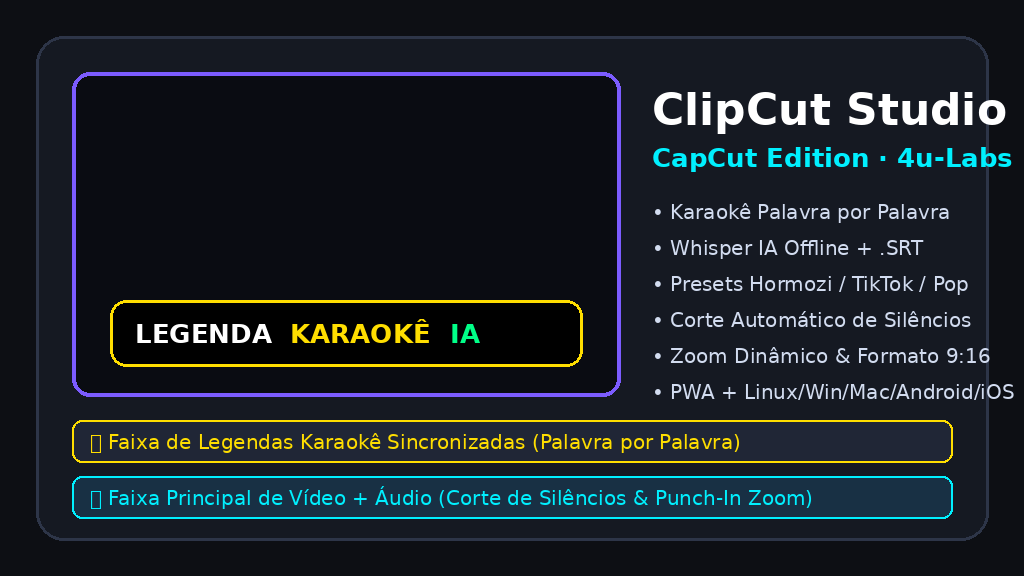
Edição na timeline
A timeline multifaixa organiza vídeo, áudio e legendas com régua de tempo, formas de onda e controles de corte. O editor inclui desfazer/refazer, ajustes de keyframes, velocidade e transições. Projetos podem ser salvos no formato .clipcut para continuar a edição.
Áudio e legendas
O ClipCut oferece recursos para editar áudio, transcrever fala com Whisper e estilizar legendas, incluindo destaque de palavras. O processamento dos arquivos de mídia ocorre no dispositivo. O download inicial dos modelos de IA depende da conexão e do recurso escolhido.
Versões para cada dispositivo
A release traz pacotes nativos para Linux x86_64 e ARM64, Windows x86_64, macOS Intel e Apple Silicon ARM64, Android ARM64 e iOS. A versão PWA também pode ser aberta e instalada no navegador. Requisitos e métodos de instalação variam conforme o sistema; consulte as notas e os checksums na página de releases.
Baixar e experimentar
ClipCut Studio 1.0.0 is the first stable release of 4U-Labs’ native editor. It brings together tools to assemble video, arrange audio and text tracks, and finish projects on desktop or mobile. The web interface remains available for quick edits.
Editing on the timeline
The multitrack timeline organizes video, audio and captions with a time ruler, waveforms and trimming controls. The editor includes undo/redo, keyframe adjustments, speed controls and transitions. Projects can be saved in the .clipcut format and reopened for further editing.
Audio and captions
ClipCut includes audio editing, Whisper speech transcription and caption styling, including word highlights. Media files are processed on the device. The initial download of AI models requires a connection and depends on the feature selected.
Builds for different devices
This release provides native packages for Linux x86_64 and ARM64, Windows x86_64, Intel and Apple Silicon ARM64 macOS, Android ARM64 and iOS. The PWA can also be opened and installed from a browser. Requirements and installation methods vary by system; check the release notes and checksums before installing.
Download and try it
Experimente o Ecossistema 4U.IA.BR Experience the 4U.IA.BR Ecosystem
Acesse mais de 80 aplicações web de alta performance sem instalação e 100% gratuitas. Access 80+ high-performance web applications with zero installation and 100% free.
Explorar Apps Agora Explore WebApps Now